AI Traffic Analysis
Traffic Analysis captures real application traffic, lets Cybrium's AI planner build an attack surface from that traffic, and then autonomously replays crafted variations to find what a vulnerability scanner cannot.
Traffic Analysis is available on the Enterprise plan.
What it discovers
- A live inventory of endpoints, parameters, and authentication flows derived from actual client traffic.
- Business-logic flaws that static or template-driven scans miss — broken access controls, IDOR, multi-step auth issues, and workflow bypasses.
- Chained exploits where one weak endpoint enables access to another.
When to use it
Use Traffic Analysis when you have authenticated flows, complex APIs, or business-critical workflows that a crawler cannot exercise on its own. It is the most accurate scan for modern single-page apps and API-first products.
Targets must pass the ownership liveness check. Replayed requests run against your infrastructure and count against your scan allowance.
Launch a capture
- From the chat bar type
traffic analysisor go to Scans -> New Scan -> Traffic Analysis. - Start a proxy capture session. Cybrium provisions a scoped proxy endpoint and CA certificate.
- Route your app or test suite through the proxy for a representative session — log in, exercise the key flows, log out.
- Stop the capture. The AI planner reviews the traffic, extracts the attack surface, and proposes a test plan.
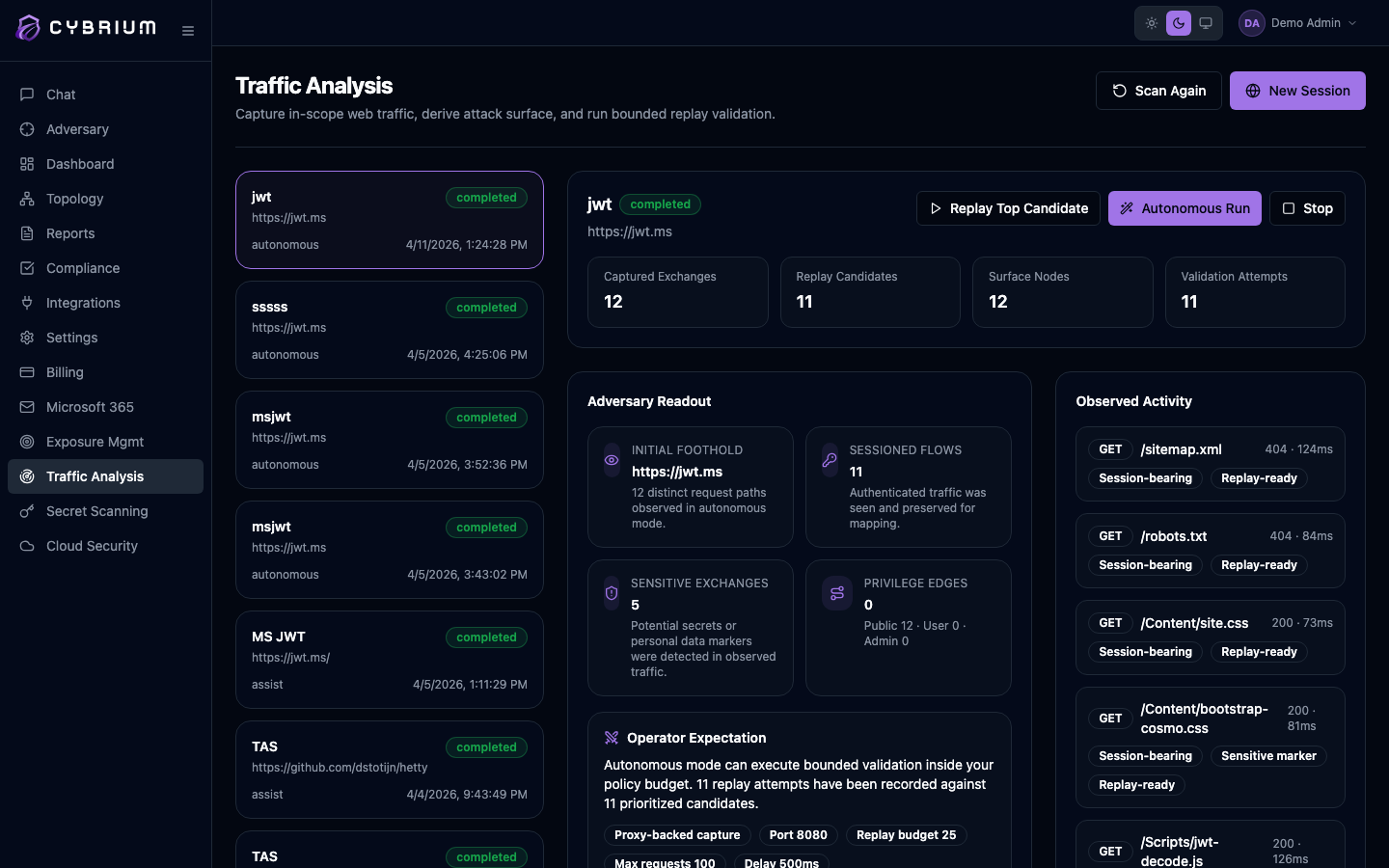
Autonomous replay
- Review the generated test plan. Each item shows the target endpoint, the hypothesis, and the expected signal.
- Approve the plan in full or toggle individual items off.
- Cybrium replays each test with credential reuse, parameter mutation, and chain awareness. Findings stream back as each hypothesis is confirmed or discarded.
What findings look like
Findings include the original captured request, the mutated replay, the observed response delta, a severity, and a reproduction script. Chain findings link multiple endpoints together with a step-by-step walkthrough.
Where results appear
- Findings tab with dedicated filters for captured vs replayed requests.
- Topology tab maps endpoints, authentication boundaries, and the chain edges the AI identified.
- Report tab produces a narrative walkthrough suitable for engineering handoff.
