SAST — Static Application Security Testing
SAST inspects source code for insecure patterns, hardcoded secrets, and vulnerable dependencies without ever executing the application. Cybrium runs SAST directly against a connected Git repository and streams findings back into your workspace.
What it discovers
- Secret detection — API keys, tokens, private keys, and cloud credentials checked into history.
- Dependency CVEs — vulnerable library versions across manifests and lockfiles.
- Code pattern analysis — insecure sinks, injection risks, weak cryptography, and risky API usage.
When to use it
Run SAST on every pull request for diff-aware feedback, and on a schedule against the default branch to catch drift. Use it before releases to confirm no new secrets or high-severity code patterns slipped through.
Connect an SCM integration first
Connecting an SCM provider requires the Tenant Admin role.
- Go to Settings -> Integrations -> Source Control.
- Choose GitHub, GitLab, Azure Repos, or Bitbucket.
- Authenticate with a Personal Access Token, OAuth, or App Password. Pick the usage scope (Scan, Fix, or Both).
- Save. The integration now appears in the repo picker.
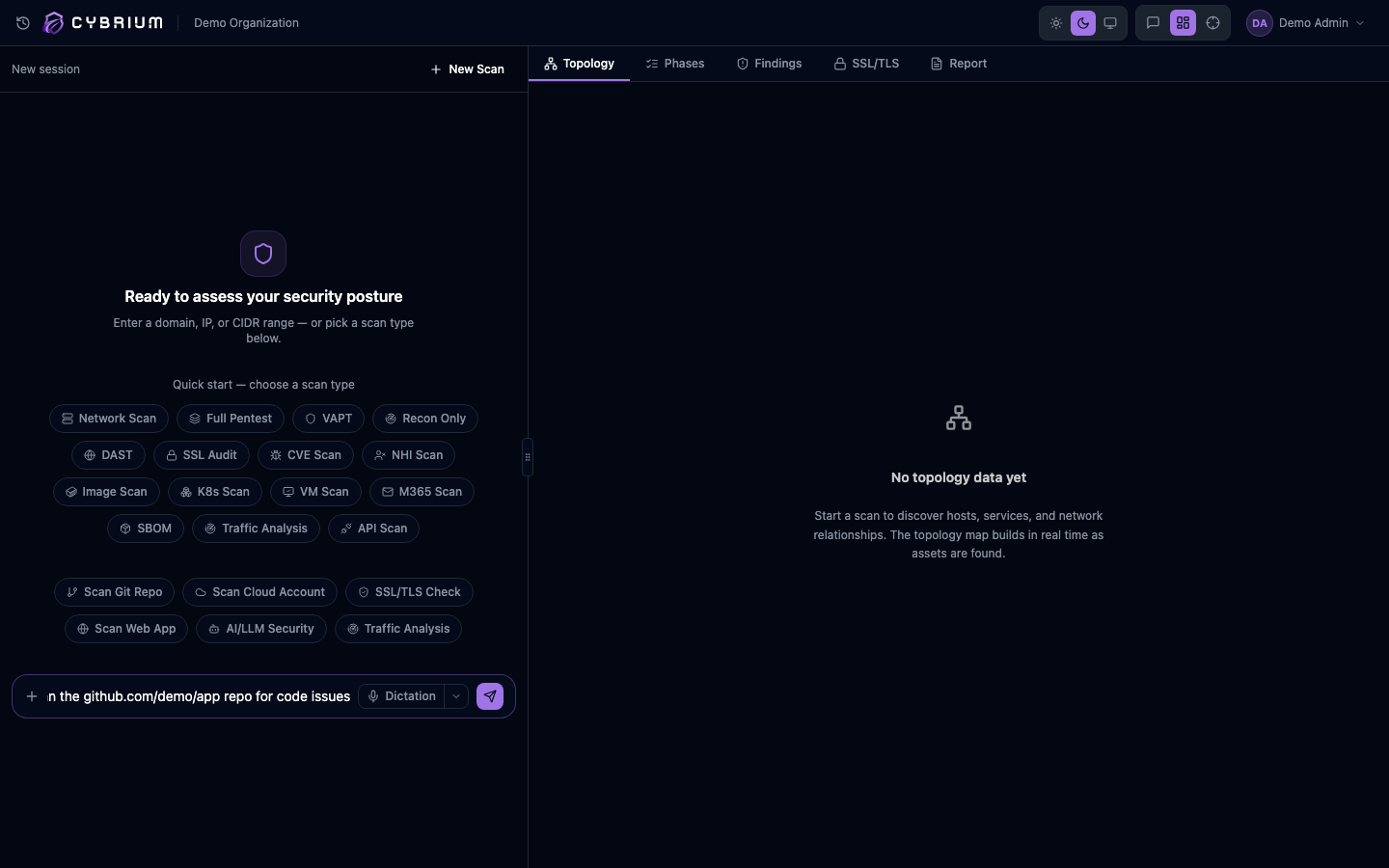
Launch a SAST scan
- From the chat bar, type
sastorscan repoand select a repository from the picker modal. - Choose a branch or tag. For PR scans, pick the source and target branches; Cybrium only reports findings introduced by the diff.
- Confirm and start. The phase tracker shows a dedicated SAST phase ahead of any network phases.
What findings look like
Each finding includes the file path, line range, a snippet of the offending code, the rule that matched, severity, and a suggested fix. Secret findings include a liveness check result showing whether the credential still authenticates.
Where results appear
- Findings tab, grouped by repository, file, and severity.
- Topology tab as a code-level map of vulnerable modules and their callers.
- A pull-request comment summarising new findings when the scan is attached to a PR.
