Microsoft 365 Security Benchmark
Cybrium's M365 scan audits a tenant's email security posture and its Microsoft 365 configuration against community and vendor benchmarks. It gives you a single score per domain and a prioritised fix list that maps to the exact admin-centre toggle that needs changing.
The M365 benchmark is available on the Pro and Enterprise plans.
What it discovers
- Email authentication — SPF, DKIM, DMARC, BIMI, and MTA-STS records across every verified domain, with live DNS validation.
- Identity controls — conditional access coverage, MFA enforcement, legacy auth exposure, risky sign-in signals.
- Sharing and collaboration — external sharing defaults, guest access, anonymous links, Teams federation.
- Data protection — retention, sensitivity label coverage, mailbox auditing, and DLP policy posture.
When to use it
Run on day one to baseline your tenant, then monthly as part of your security review. Run on demand before major announcements where you expect phishing pressure, and immediately after rotating DNS or changing collaboration defaults.
Connect the tenant
Only Tenant Admins can register the M365 connection.
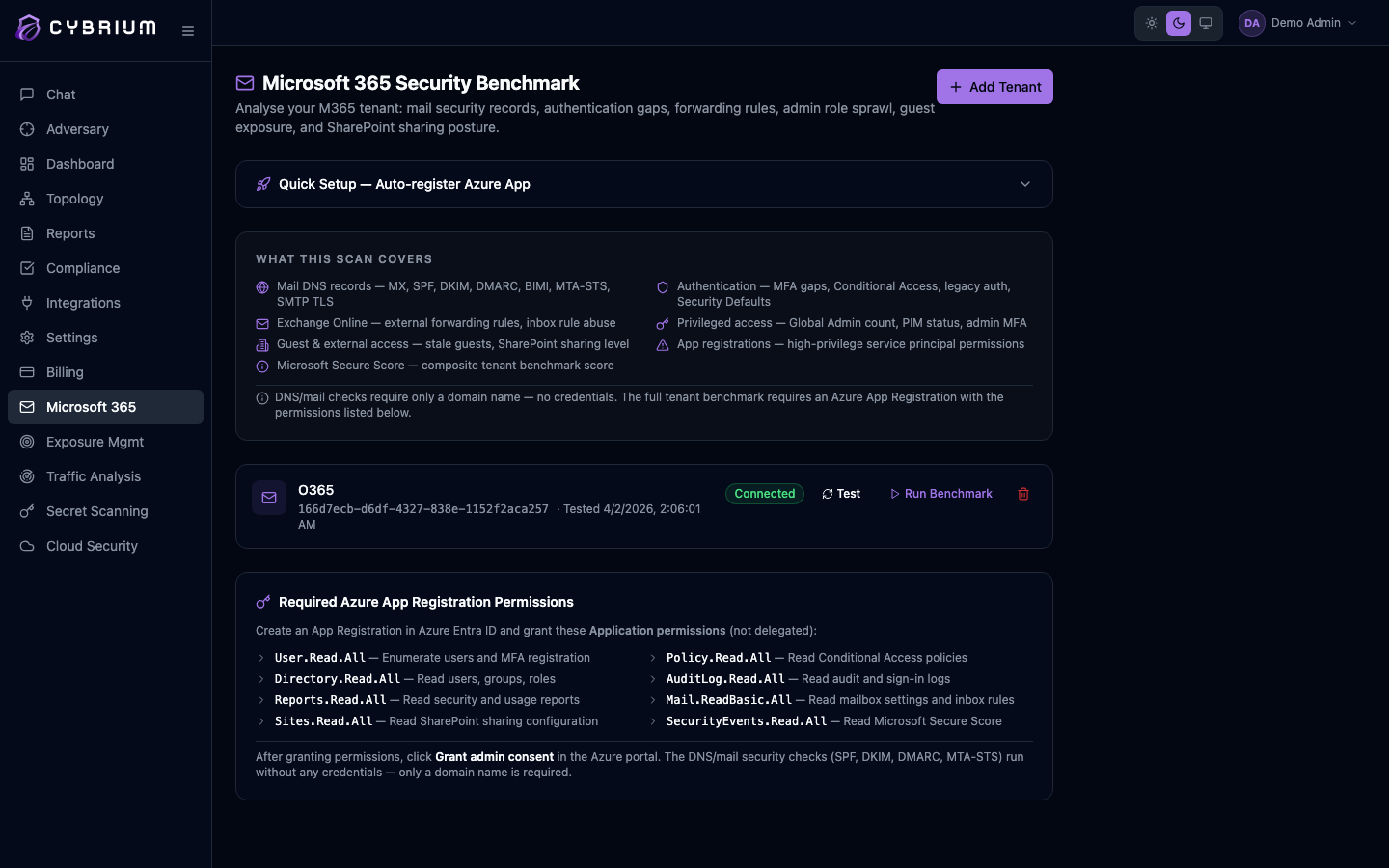
- Go to Settings -> Integrations -> Microsoft 365 and follow the guided consent flow.
- Cybrium registers an application with the minimum read-only Graph scopes — no mailbox or file content is ever read.
- A live connectivity test runs and lists exactly which scopes were granted and which are still pending.
Launch a scan
- From the chat bar type
m365 benchmarkor go to Scans -> New Scan -> Microsoft 365. - Pick the tenant, and optionally select a subset of domains for the email authentication block.
- Start the scan. Email authentication checks run in seconds; the full tenant benchmark usually completes in a few minutes.
What findings look like
Each finding names the control, the observed value, the recommended value, severity, and a deep link into the Microsoft 365 admin centre so the fix is a click away. DNS-level findings include the exact record you need to publish.
Where results appear
- A dedicated M365 scorecard with per-domain and per-control grades.
- Findings tab for integration with your regular triage workflow.
- Compliance scorecard when a control maps to a tracked framework.
- Report tab with an executive summary suitable for leadership review.

Email Posture scan (cymail)
Sprint 100 added a dedicated Email Posture scan that runs against the verified mail domain on your M365 credential. It uses cymail — the same Rust CLI that ships standalone — and produces SPF/DKIM/DMARC posture plus DNSBL, BIMI VMC chain validation, DANE, DNSSEC, SPF lookup-count, DKIM key hygiene, MX provider fingerprint, Sender Score, and Cisco Talos in one pass.
One-off scan
curl -X POST https://app.cybrium.ai/api/scans/m365/email-posture-scan/ \
  -H "Content-Type: application/json" \
  -b "$AUTH_COOKIE" \
  -d '{
    "credential_id": "<m365-credential-uuid>",
    "modes": { "reputation": true, "discover": false, "leak": false }
  }'
The endpoint extracts the verified mail domain from the M365 credential, creates a ScanType.EMAIL_SECURITY job, and dispatches CymailRunner. Findings appear in your standard Findings page tagged category: Email Security.
Scheduled (recommended)
Daily Email Posture is one row in Scheduled Scans:
- Settings → Scheduled Scans → New schedule
- Pick Email Security (cymail)
- Target: your verified M365 mail domain
- Cadence: Daily
- Save
The schedule fires at 02:00 UTC every day, scan results flow into Findings, and any regressions surface as new findings on the next run.