Cloud Posture — AWS, Azure, GCP
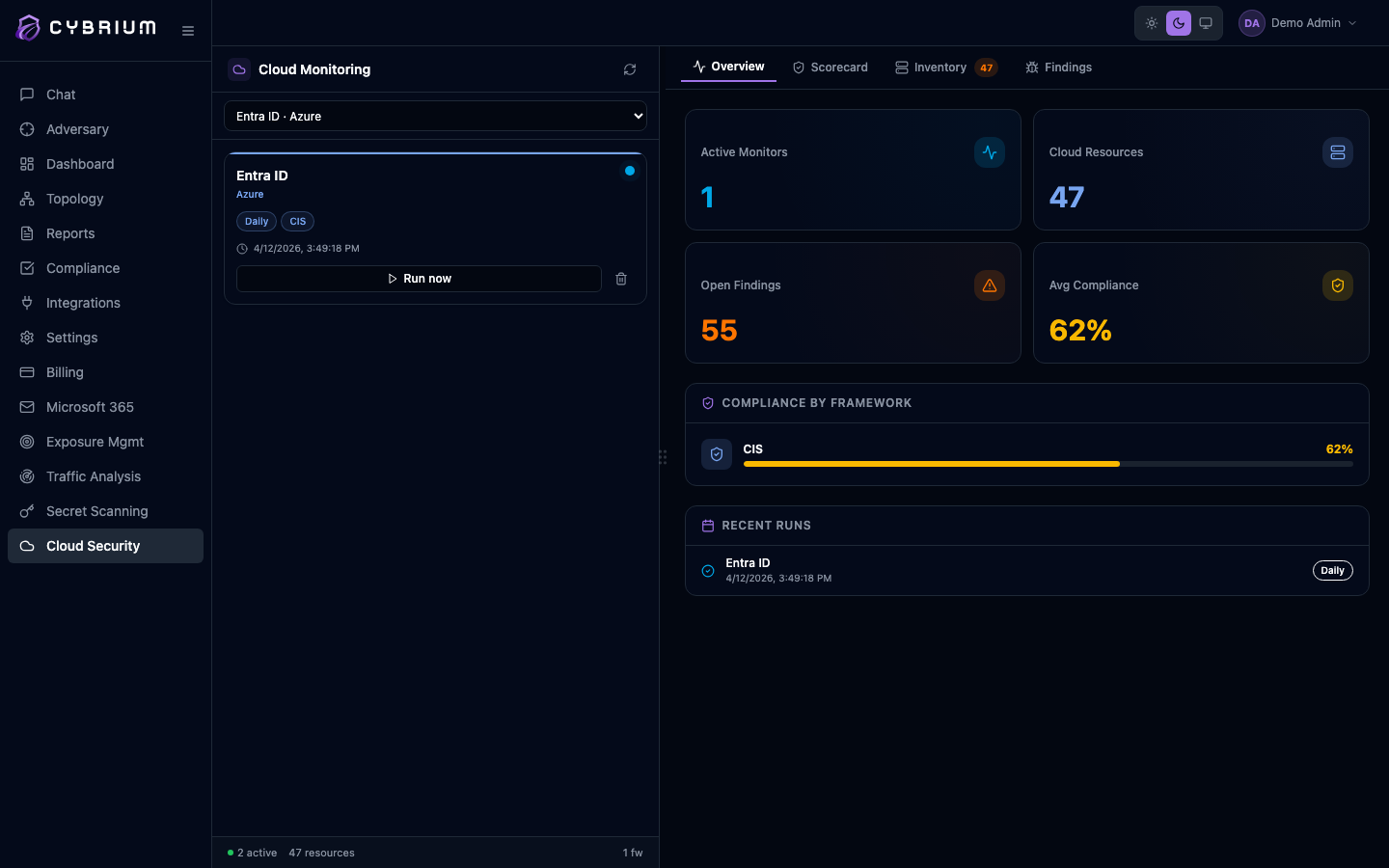
Cybrium's cloud scan audits your cloud tenant's configuration against security best practices and compliance frameworks. It reaches every account, subscription, or project in a connected organisation and produces a single scorecard you can act on.
Cloud scans are available on the Pro and Enterprise plans.
What it discovers
- IAM misconfigurations — overprivileged roles, unused keys, missing MFA, cross-account trust issues.
- Public exposure checks — open storage buckets, public databases, wide-open security groups, exposed admin endpoints.
- Compliance controls — automated mapping to CIS, PCI, HIPAA, SOC 2, and NIST profiles.
- Resource inventory — a full list of compute, storage, networking, and identity resources with owners and tags.
When to use it
Run it on day one to baseline your environment, then on a schedule — daily for Enterprise, weekly for Pro. Run it on demand after organisational changes, mergers, or when preparing for an audit.
Connect a cloud credential
Only Tenant Admins can connect or modify a cloud credential.
- Go to Settings -> Integrations -> Cloud.
- Choose AWS, Azure, or GCP and follow the Quick Setup wizard. Each provider supports read-only access through a CloudFormation stack, an Azure AD application with Reader role, or a GCP service account with Security Reviewer.
- Cybrium runs a live connectivity test before saving the credential and tells you exactly which permission is missing when a check fails.
Launch an organisation scan
- From the chat bar type
cloud scanor go to Scans -> New Scan -> Cloud. - Pick the connected tenant, choose Full organisation or specific accounts, subscriptions, or projects.
- Optionally constrain the scan to one or more regions.
- Start the scan. Phase tracker updates as each account is enumerated and assessed.
What findings look like
Each finding names the resource, the control that failed, the affected compliance frameworks, severity, and a remediation snippet — often a ready-to-apply Terraform or CLI command. Findings link to the discovered resource in the cloud console for one-click context.
Where results appear
- Findings tab filtered by cloud, account, and service.
- A dedicated Compliance scorecard view with per-framework grades.
- Topology tab maps accounts, VPCs, identities, and their trust relationships.
- Report tab produces an auditor-ready document per framework.
