Workspace tour
Cybrium ships with two layouts — Focus and Dashboard — that share the same chat stream, scan state, and live WebSocket feed. Switching between them never interrupts a running scan.
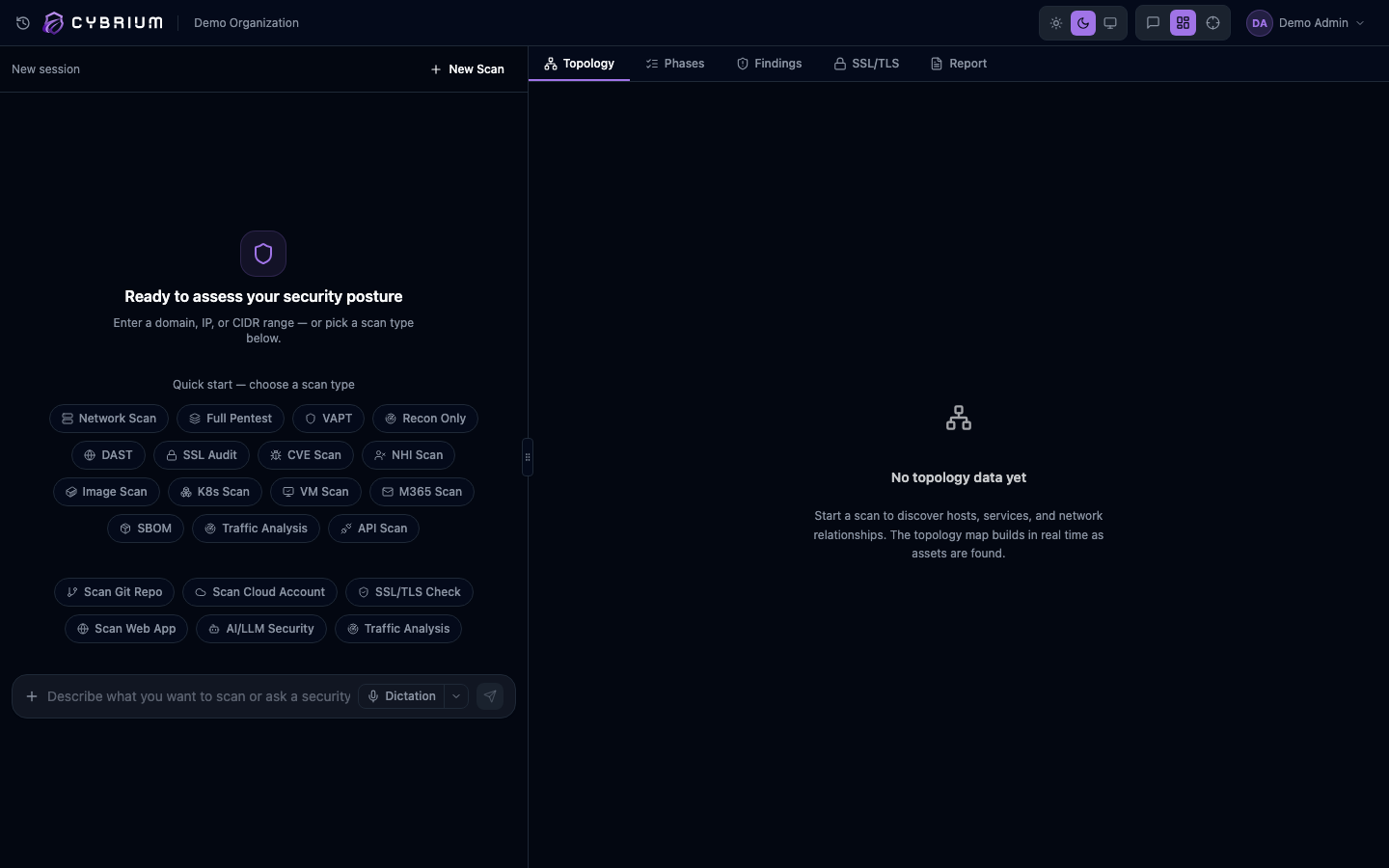
The header
A slim 48-pixel header sits above every workspace page. From left to right it contains:
- The scan history drawer toggle.
- The Cybrium logo and your organisation name.
- A live scan indicator that shows the current phase when a scan is running, or a green "Scan complete" badge when one has finished.
- The color-mode toggle, the view-mode toggle, and your avatar menu.
Focus mode
Focus mode is a full-width conversation. Chat renders centred up to roughly three-quarters of the viewport, topology nodes render inline as messages, and findings stream into the thread as cards. This mode is ideal for an iterative back-and-forth with the AI analyst, or for quickly demonstrating a scan to stakeholders.
Dashboard mode
Dashboard mode splits the viewport into a resizable two-pane layout. The left pane keeps the chat; the right pane opens a visualisation panel with four tabs — Topology, Phases, Findings, and Report. The split defaults to roughly 38/62 and can be dragged anywhere between 24% and 60% for the chat pane.

When a scan starts, the visualisation panel auto-switches to the Phases tab so you can watch progress in real time.
Switching modes
Use the toggle in the header or press Cmd+\ on macOS or Ctrl+\ on Windows and Linux. Your preference is persisted to localStorage and synced to your profile on the server so it follows you across devices.
On viewports narrower than 768 pixels Cybrium forces Focus mode and hides the toggle — the split-pane layout isn't useful on small screens.
State continuity
Toggling modes never resets state. If you start a scan in Focus, switch to Dashboard, and drag the divider, findings keep streaming without a flicker.