Secret & Credential Scanning
Cybrium's secret scanner hunts for credentials across the entire Git history — not just the current working tree — and validates which ones still work. Dead secrets are noise; live secrets are incidents.
What it discovers
- Secrets committed at any point in a repository's history, across branches and tags.
- A liveness check that actually authenticates each secret against its provider to decide if it is still valid.
- A fix framework that groups related findings, suggests the shortest rotation path, and links to vendor-specific revocation docs.
When to use it
Run a secret scan the day you onboard a repository, then on a schedule or on every push. Always run it before making a private repo public, before archiving a project, and immediately after an offboarding event.
Configuring scheduled secret scans requires the Tenant Admin role.
Launch a scan
- From the chat bar type
secretsorscan secrets. Pick a repository from the picker modal. - Choose depth — Shallow (current HEAD only), Deep (full history), or Incremental (since the last scan).
- Decide whether to run the liveness check. This makes outbound calls to providers such as cloud APIs, SaaS vendors, and SCM platforms — leave it on unless you have a specific reason to skip.
- Start the scan.
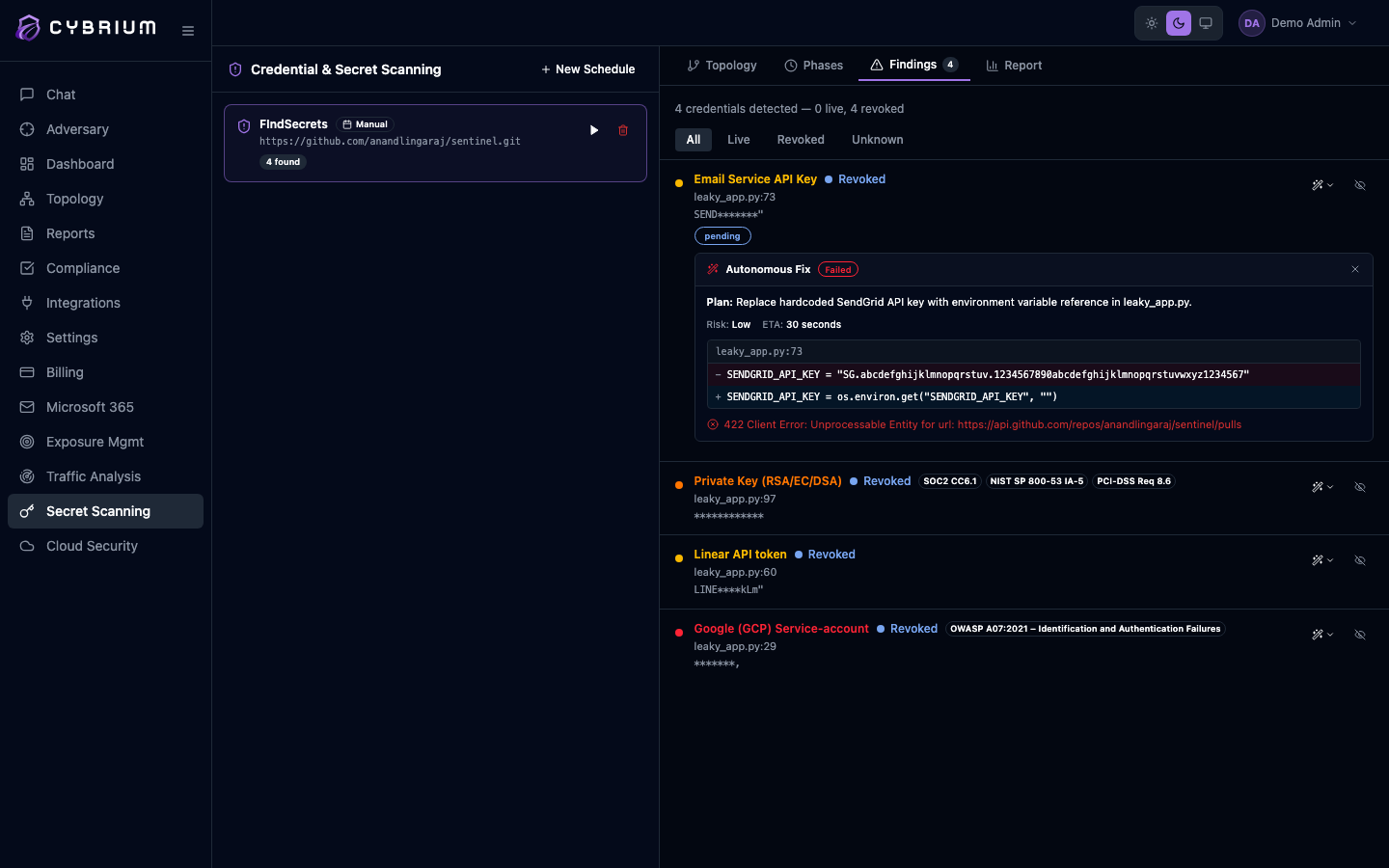
What findings look like
Each finding shows the commit SHA, author, file path, line range, a redacted preview of the secret, the detected secret type, and the liveness result — Live, Dead, or Unverified. Live findings include a direct rotation action that opens the vendor's revocation flow with the correct context pre-filled.
Fix framework
Every live finding is linked into a fix framework plan: rotate the credential, invalidate any dependent sessions, rewrite history or accept the leak, and verify with a follow-up scan. The UI tracks each step so you can close an incident with confidence.
Where results appear
- Findings tab filtered by
type:secret, with Live findings pinned to the top. - A dedicated Secrets view lists every active credential, grouped by provider and repository.
- Report tab and the tenant audit log capture rotation events.
