Profile
The Profile tab is where you manage your personal identity on Cybrium — the information that appears next to your scans, comments, and audit-log entries.
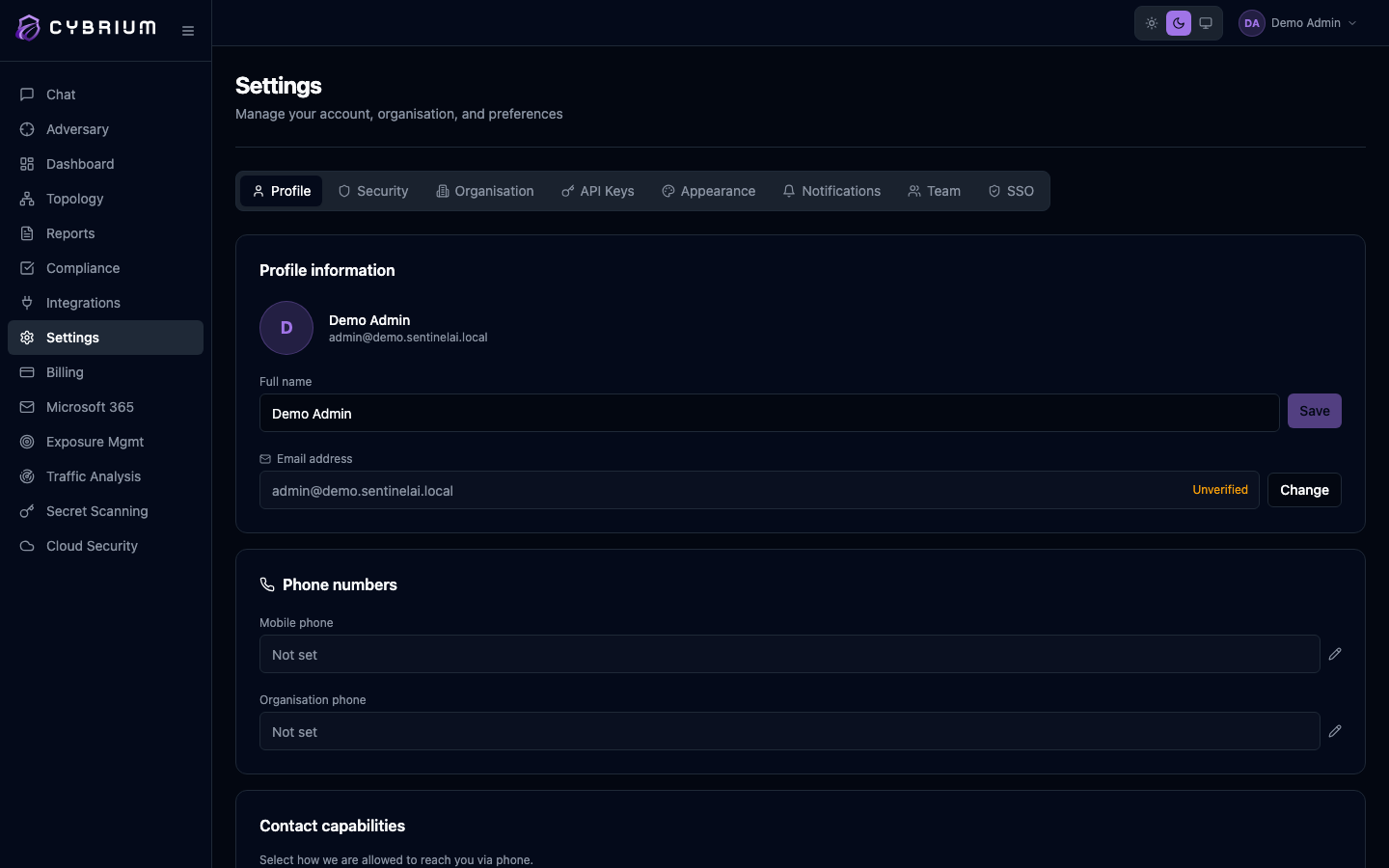
Name and display
Your first name, last name, and optional display name render in the avatar menu, the Team tab, and every audit entry Cybrium writes against your actions. Changes save inline as you blur each field.
Your email address is your sign-in identifier. Changing it sends a verification link to the new address; the change only takes effect once you click through.
Phone number and OTP verification
You can attach a mobile number to your profile for SMS one-time passwords and voice-channel security alerts. Cybrium sends a six-digit code to the number you enter; type the code back into the inline field and the number flips from Unverified (amber) to Verified (green).
A verified phone number unlocks two things:
- SMS-based MFA as a fall-back when your authenticator app is unavailable.
- Voice alerts for critical findings, if enabled in notification preferences.
Communication preferences summary
The Profile tab surfaces a compact summary of your current opt-in status for promotional email, promotional SMS, product updates, and security digests. Each row shows the current channel state and a shortcut to the full Notifications tab where you can toggle each one independently.

Account security quick links
At the bottom of the tab you'll find quick links to Security (for MFA enrolment and session management), Appearance (for color mode and palette), and Sign out of all sessions — a one-click revoke of every active token for your account.