DAST — Dynamic Application Security Testing
DAST exercises a running web application the way an attacker would. Cybrium crawls the app, runs passive and active checks, and reports issues with reproducible request and response evidence.
DAST is available on the Pro and Enterprise plans.
What it discovers
- Spider coverage with passive analysis of every request and response.
- Server misconfigurations, outdated software, and CGI-era issues.
- CVEs, exposures, and misconfigurations detected through a broad template library.
- Authenticated flows when credentials or session material are provided.
When to use it
Run DAST against staging before every release, and against production on a scheduled cadence. Pair it with SAST for full coverage: SAST finds what exists in code, DAST finds what is exploitable at runtime.
The target URL must pass the ownership liveness check before the scan is dispatched.
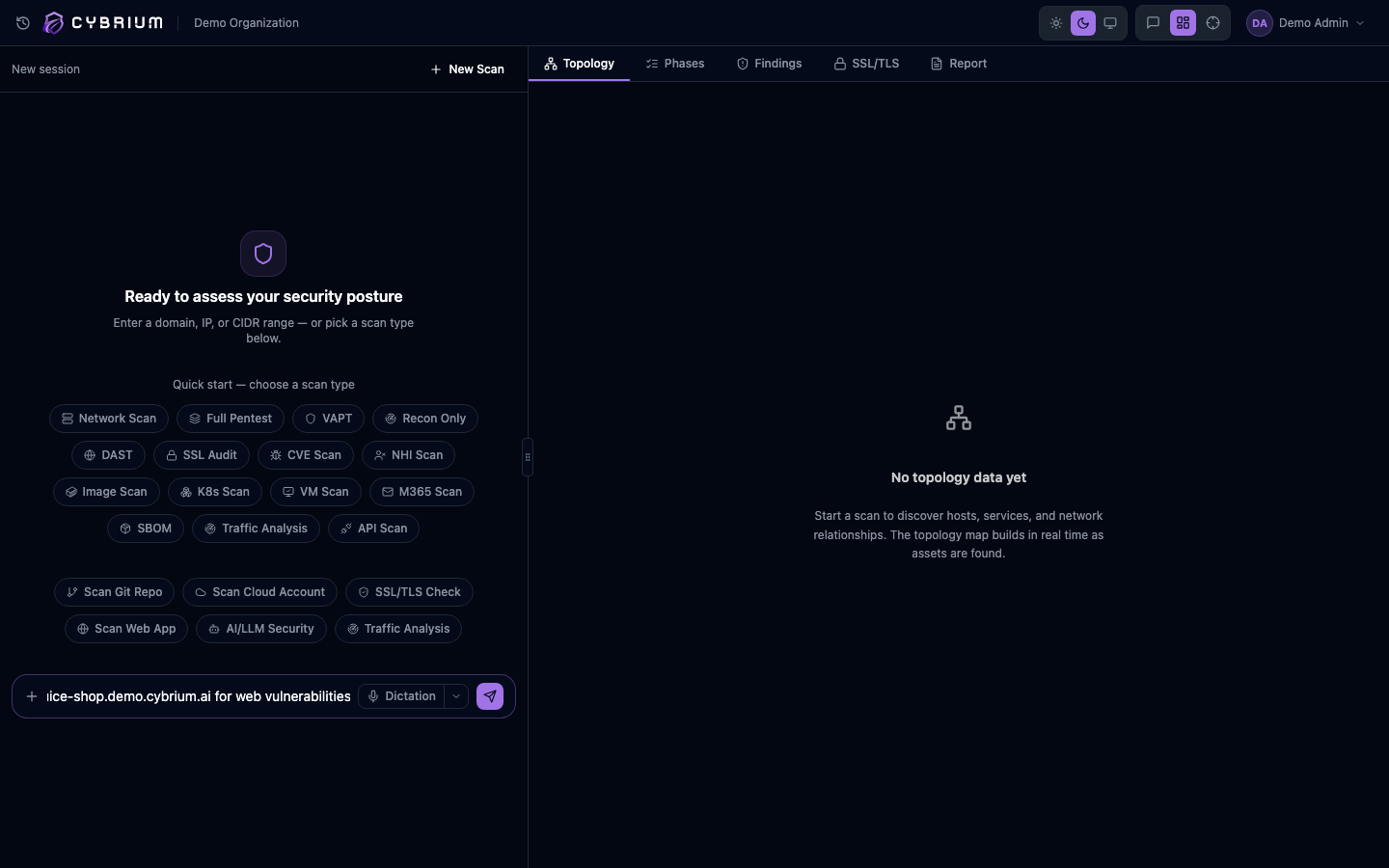
Launch a scan
- In the chat bar type
scan web app https://app.example.comor use Scans -> New Scan -> Web App. - Paste the base URL and optional in-scope paths.
- Configure authentication (see below) if the app requires a login.
- Pick a profile — Passive, Balanced, or Active — and start.
Authentication setup
Cybrium supports three auth modes out of the box:
- Cookie auth — paste one or more session cookies. Useful for quick, short-lived runs.
- Header auth — add bearer tokens, API keys, or custom headers injected into every request.
- Form login — record the login URL, field selectors, and credentials. Cybrium re-authenticates automatically when the session expires mid-scan.
A connectivity test fires before the scan starts to confirm that the authenticated state is reachable.
What findings look like
Each finding includes the vulnerable request, the server response, a proof-of-concept payload, severity, OWASP mapping, and recommended remediation. Passive-only findings are clearly labelled so you can prioritise active exploits first.
Where results appear
- Live in the Findings tab, streamed as each check completes.
- Topology tab shows discovered routes, parameters, and authenticated areas.
- Report tab produces a shareable PDF and JSON export.
