Billing
The Billing tab shows your current plan, usage against plan limits, invoice history, and a shortcut to the Stripe-hosted customer portal where you can update cards and billing addresses.
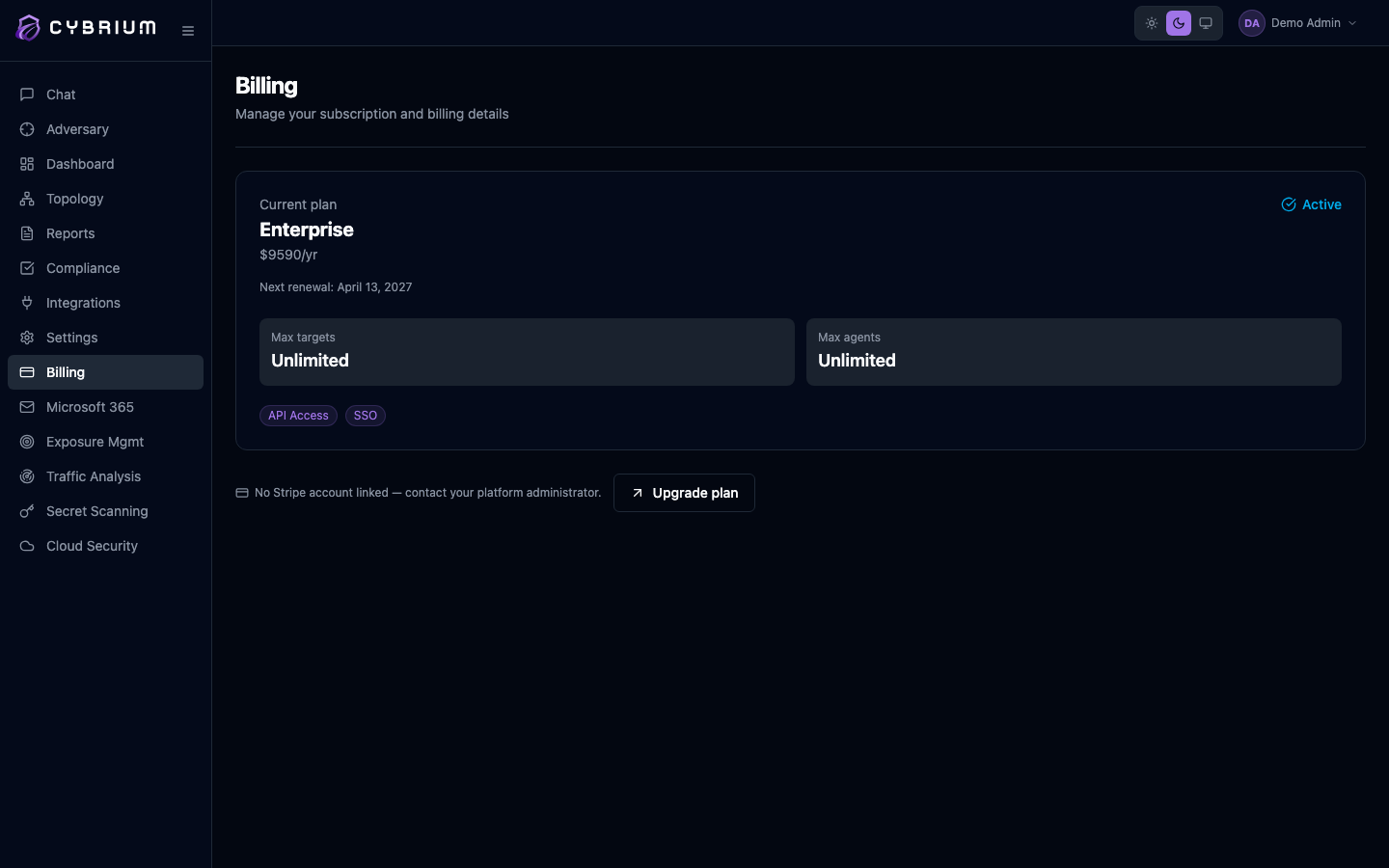
Billing is visible to Owners and Billing Admins only. Admins without the Billing role can see plan limits but cannot change the plan or payment method.
Plans at a glance
| Plan | Price | Targets | Notable features |
|---|---|---|---|
| Starter | $49/mo | 5 | Cloud agent, port + service discovery, vulnerability assessment, SSL/TLS analysis, web checks, PDF reports, 30-day retention |
| Pro | $199/mo | 50 | Cloud + on-prem + hybrid agents, full scan suite, all five pentest phases, SSO, API access, 90-day retention, priority support |
| Enterprise | $999/mo | Unlimited | Full exploitation and post-exploitation, SIEM/EDR integration, white-label branding, SAML 2.0, custom OIDC, 365-day retention, dedicated support + SLA |
| Custom | Bespoke | Tailored | Air-gapped deployments, multi-region tenancy, volume licensing, custom SLAs |
Usage meter
The header card shows how many targets you've scanned in the current billing cycle and the percentage of your plan's allowance used. Warnings appear at 80% and 95%; at 100% Cybrium blocks new scans with a clear upgrade prompt rather than silently degrading.
Stripe customer portal

Click Manage billing to open the Stripe-hosted portal in a new tab. From there you can:
- Update or add a payment method.
- Change the billing email and address.
- Download invoices and receipts as PDF.
- Cancel the subscription (the workspace stays active until the end of the paid period).
Cybrium never sees or stores card details — Stripe handles everything.
Upgrade or downgrade
Downgrading may reduce your target limit or disable features that your team is actively using. Review the usage panel before confirming.
Click Change plan to see a side-by-side comparison. Upgrades take effect immediately and are prorated. Downgrades take effect at the next renewal so you keep the features you've paid for until then.
For the Enterprise or Custom tiers, click Talk to sales — a Cybrium account manager will handle procurement, redlines, and POC extensions.